


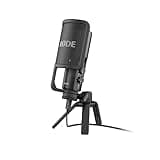

USB microphones are the most accessible entry point into quality audio recording — no audio interface required, no phantom power cables, just plug in and go. But not all USB microphones are created equal. This guide covers everything from polar patterns to latency monitoring, helping you find the right mic for your specific use case.
USB vs XLR Microphones
The fundamental trade-off:
| Factor | USB Microphone | XLR Microphone + Interface |
|---|---|---|
| Setup | Plug directly into USB port, instant | Requires audio interface, cables |
| Portability | Single cable, laptop-friendly | More gear, less portable |
| Upgradeability | Replace entire mic | Upgrade mic or interface independently |
| Maximum quality | Excellent (limited by internal ADC) | Higher ceiling (quality DAC + preamp) |
| Latency monitoring | Some offer direct/zero-latency | Interface handles directly |
| Cost | One purchase | Mic + interface cost |
For beginners, content creators, and portable recording setups, USB microphones hit an excellent sweet spot. For studio production where you may swap microphones frequently or need the preamp quality of a dedicated interface, XLR is the better long-term foundation.
Hybrid USB/XLR Microphones
A growing category addresses the flexibility issue: hybrid microphones like the Shure MV7+ and RØDE PodMic USB offer both USB and XLR connections simultaneously. You can use them with just a USB cable today and transition to a proper audio interface later without buying a new microphone. This is increasingly the recommended approach for serious podcasters and streamers.
Key Features to Look For
Zero-Latency Headphone Monitoring
Critical for recording vocals or instruments while listening to a backing track. Without it, you hear yourself with delay (typically 10-30ms via software) which is extremely disorienting. The RØDE NT-USB Mini, Blue Yeti, and Shure MV7+ all offer headphone jacks with direct monitoring.
Onboard Mix Dial
Controls the balance between your microphone signal and computer audio in the headphone output. Allows you to blend your voice with game audio, music playback, or Discord calls without software adjustment. The Blue Yeti series is well-known for this feature.
Gain Control
A physical gain dial on the microphone allows quick adjustments without software. Essential for live streaming where you might need to quickly boost or reduce sensitivity.
Polar Pattern Options
Some USB mics offer multiple polar patterns (Blue Yeti, Blue Yeti X). Cardioid is ideal for solo recording; stereo for instruments or ambiance; omni for conference settings; figure-8 for interviews. Single-pattern cardioid mics are simpler and often better value for most users.
32-Bit Float Recording
The RØDE NT1 5th Generation USB offers 32-bit float recording — the digital level can exceed 0dBFS without clipping, making it impossible to cause digital distortion. Useful for recording uncertain volume sources like podcast guests who might suddenly speak loudly.
Budget Tiers
Under ¥10,000 — Entry Level
FIFINE K688, Razer Seiren Mini. Functional for gaming, casual streaming, and video calls. Sound quality is limited but practical for getting started.
¥10,000–¥20,000 — Recommended Starting Point
The RØDE NT-USB Mini (~¥12,000) delivers genuine studio condenser quality with zero-latency monitoring in a compact form. The Elgato Wave:3 adds Clipguard technology (dual capsule prevents digital clipping) and excellent software integration for streamers.
¥20,000–¥35,000 — Prosumer
The Blue Yeti X offers four polar patterns, LED metering, and excellent versatility. The Audio-Technica AT2020USB+ brings the legendary AT2020 capsule's neutrality in USB form. The Shure MV7+ is a hybrid USB/XLR dynamic mic with exceptional studio-quality sound and Motiv app integration — built for podcasters who take quality seriously.
¥35,000+ — Premium
The RØDE NT1 5th Generation with USB+XLR, 32-bit float, and 4 dB-A self-noise represents the current ceiling for USB microphone quality. The Sony ECM-S1 offers wireless capability with the same high-quality capsule. The RØDE NT-USB is a proven studio workhorse with excellent build quality.
Use Case Recommendations
Podcasting / Interviews
Dynamic microphone (Shure MV7+, RØDE PodMic USB) — better rejection of room noise, great for less-than-ideal acoustics. Or RØDE NT-USB Mini if your recording space is quiet.
Gaming / Streaming
Elgato Wave:3 for Elgato ecosystem users (StreamDeck integration), Blue Yeti for versatility, Razer Seiren V3 Chroma for RGB aesthetics and Synapse integration.
Music / Vocal Recording (Home Studio)
RØDE NT1 5th Gen (USB+XLR hybrid) for maximum quality and future XLR migration. Or AT2020USB+ for neutral, accurate recording.
Remote Work / Meetings
RØDE NT-USB Mini, Shure MV7+ (both excellent directional mics that reject keyboard noise and room ambiance). Budget option: any ¥10,000+ cardioid condenser.
Frequently Asked Questions
Can a USB microphone sound as good as an XLR setup?
At equivalent price points, XLR setups have a quality advantage due to better preamps and ADC in dedicated audio interfaces. However, premium USB microphones like the RØDE NT1 Gen 5 are genuinely excellent and indistinguishable from XLR setups for most listening contexts. For podcast production and streaming, USB mics at ¥25,000+ will sound professional. The quality gap becomes more apparent in critical studio recording scenarios.
Why is there a delay when I monitor through my USB microphone?
Software monitoring routes audio through your computer's processing chain (interface driver → DAW → speaker output), adding 10-30ms delay. This is normal when monitoring through software. To avoid it, use a USB microphone with a built-in headphone jack and direct/hardware monitoring — the signal goes directly from the capsule to your headphones without going through the computer.
Do USB microphones work with iPad and iPhone?
Many USB-C microphones work directly with iPads (USB-C). For iPhone (Lightning) or older iPad (Lightning), you'll need Apple's USB-C or Lightning to USB adapter. Performance and compatibility vary by model. Some microphones (RØDE NT-USB Mini, Blue Yeti) have confirmed iPad compatibility. Always check the manufacturer's compatibility list before purchasing for mobile use.
What causes that "hollow" or "echoey" sound in my recordings?
This is almost always room acoustics, not microphone quality. Reflective surfaces (bare walls, glass, hard floors) create room reverb that condensers pick up faithfully. Solutions: record in a closet full of clothes, hang a blanket behind you, sit close to the microphone (2-10cm), or invest in acoustic foam panels for early reflection points. Changing to a more expensive microphone will not fix room acoustics.

